去除 Sublime Text 4 的弹窗提示
并未处理与 license 相关的任何内容,只是去掉了未注册版的弹窗提示。
首先用 lipo 将 Universal Binary 拆分为 x86_64 与 arm64 版本。
1 | |
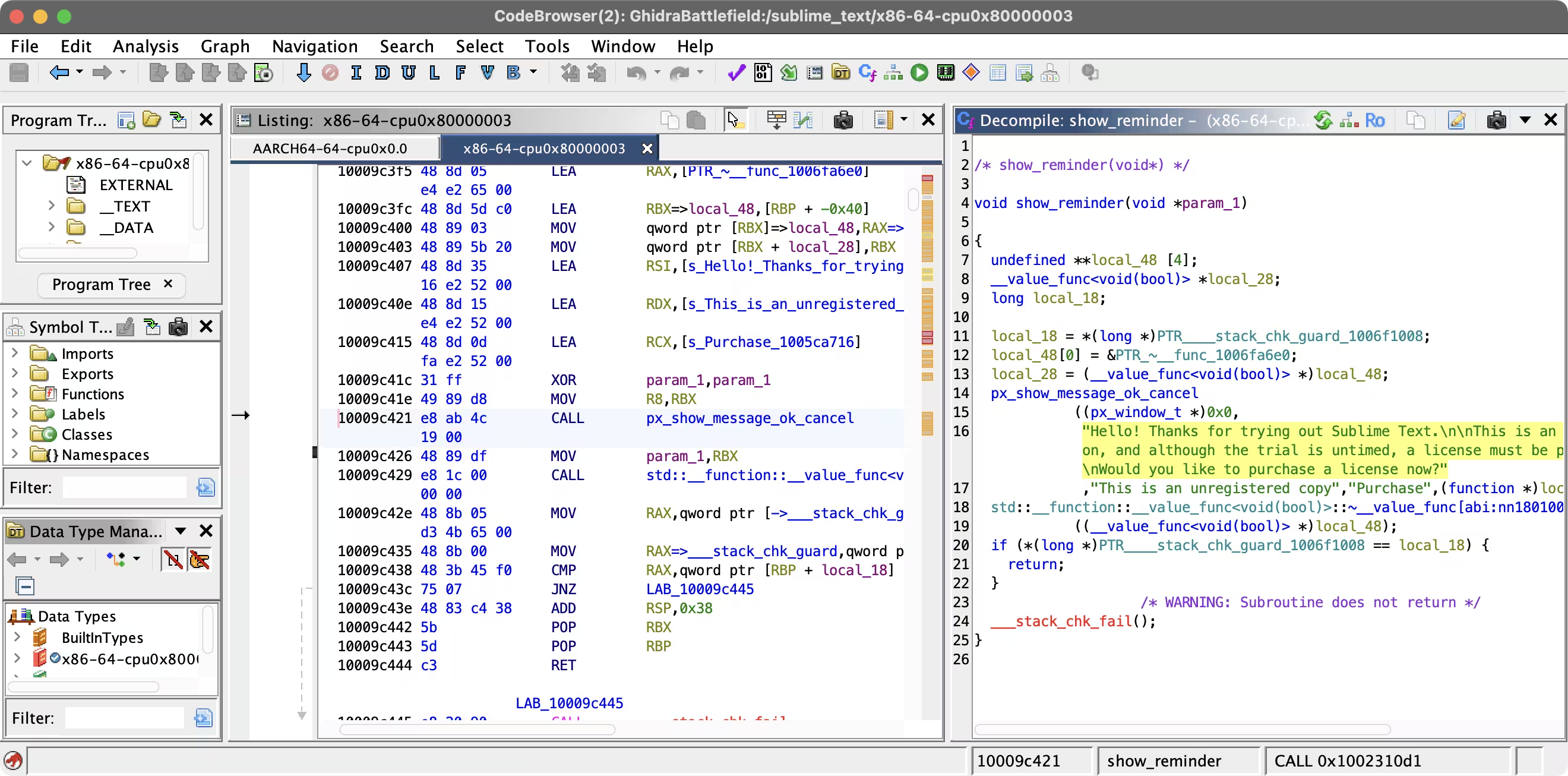
用 Ghidra 加载对应平台的 binary,搜索字符串 unregistered 可以定位到 show_reminder 函数。
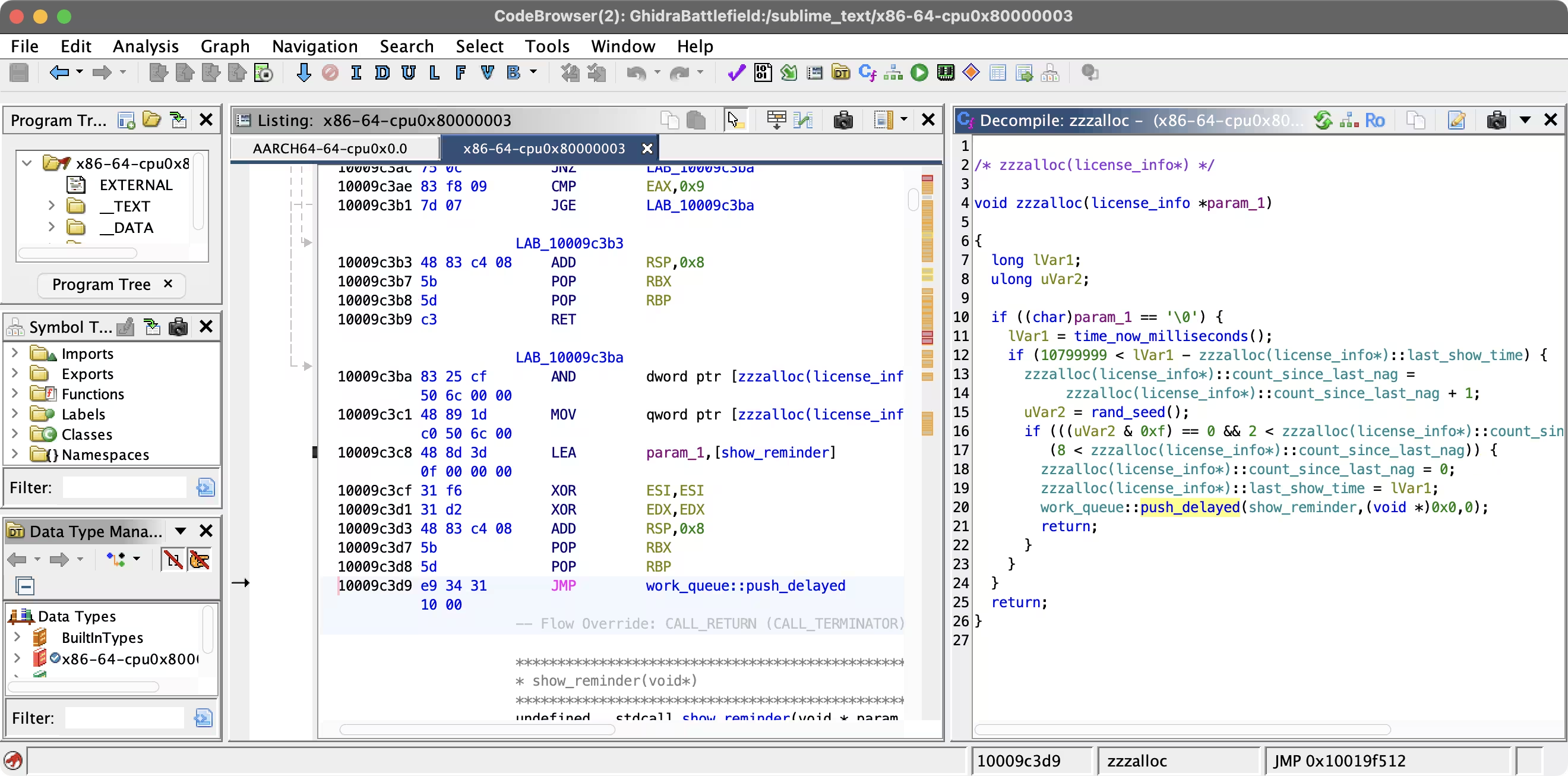
而 show_reminder 由 zzzalloc 调用,其中有一行 work_queue::push_delayed 调用以 show_reminder 为参数。我们可以直接将 zzzalloc 的第一条指令 patch 为 ret。
另外,可以搜索字符串 UNREGISTERED,将数据 patch 为空字符串,这样就不会在界面右上角显示了。
之后导出 Original File,再使用 lipo 合并。最后 codesign 重新签名,覆盖原文件。
1 | |
去除 Sublime Text 4 的弹窗提示
https://heap.45gfg9.net/t/a8d8b0cc3325/